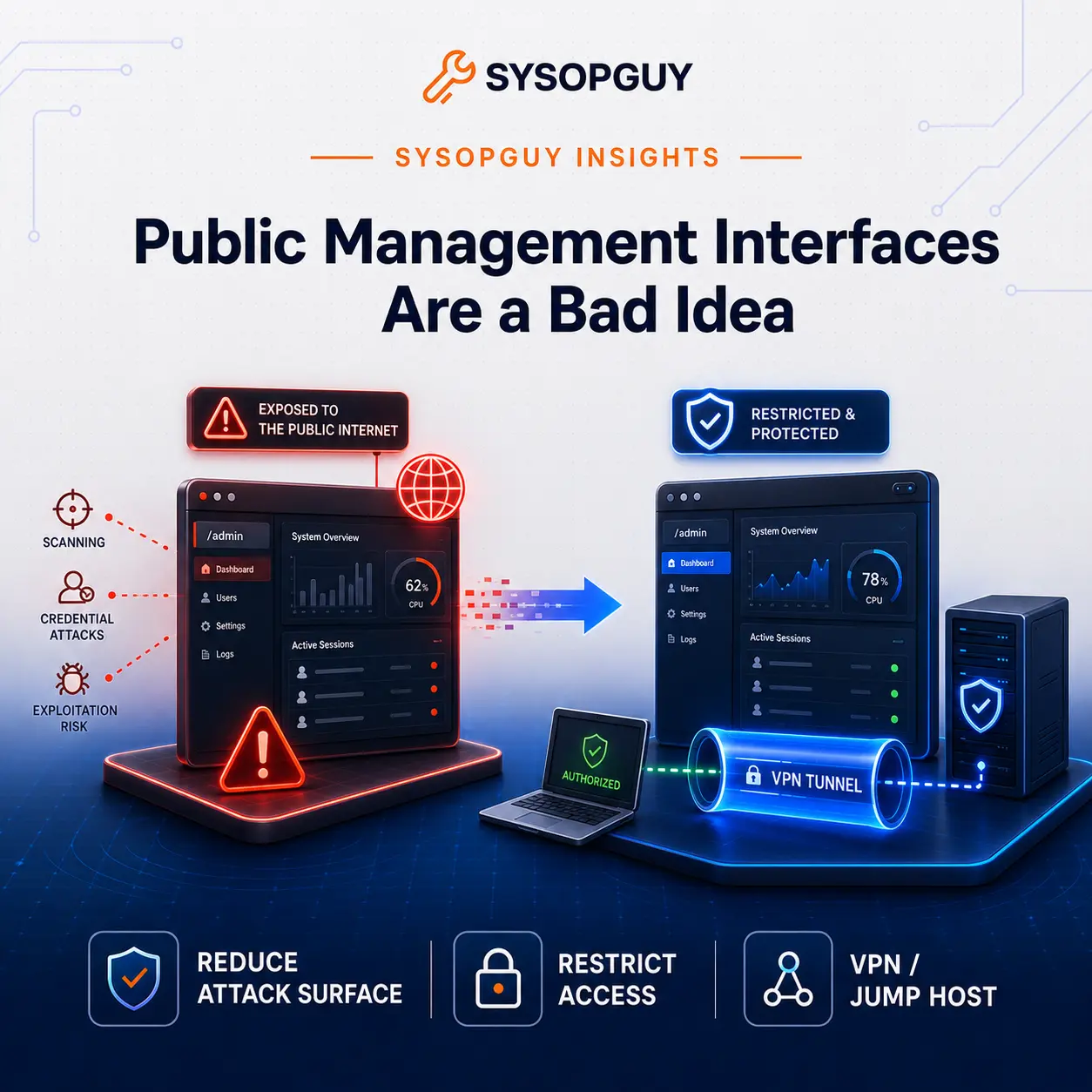
A management interface does more than serve a web page.
It controls the system behind that page: the hypervisor, firewall, storage platform, backup server, hosting panel or remote management controller. When an attacker reaches that layer, the damage can spread far beyond one website or service.
For this reason, I never consider a strong password enough to justify direct internet exposure.
The management plane needs stronger protection
A public website accepts traffic from unknown users because that is its purpose.
A Proxmox panel, firewall dashboard, IPMI interface, backup console or hosting control panel serves a completely different role. Only a small number of administrators should access it, usually from known devices or controlled networks.
Publishing that interface to the internet removes this important separation.
Attackers can identify the software, inspect its responses and search for known weaknesses. Automated tools can also detect page titles, TLS certificates, headers and product-specific behaviour.
A strong password does not stop this reconnaissance.
Multi-factor authentication adds an important layer, but it only protects the normal login process. It cannot stop every flaw that appears before authentication.
An exposed API, vulnerable dependency or forgotten administrative endpoint may allow an attacker to bypass the login page entirely.
The consequences also depend on the role of the system.
Access to a hypervisor can expose every virtual machine running on it. Control of a firewall can change network policies and redirect traffic. A compromised backup console can destroy the recovery path when it matters most.
I therefore treat management exposure as an architectural decision, not as a simple login configuration.
Passwords and MFA do not remove the attack surface
Strong authentication remains essential. I enable MFA whenever the platform supports it.
However, authentication represents only one part of the defence.
Anyone on the internet can scan a management service that listens on a public IP address. Changing the port may reduce noise in the logs, but it does not make the service private.
Automated scanners search thousands of ports. They can often identify an application through its TLS certificate, HTTP responses, page structure or protocol behaviour.
Moving a Proxmox interface away from port 8006 does not solve the actual problem. The service remains available to anyone who discovers the new port.
A web application firewall may block some HTTP attacks, but it cannot protect every administrative product. Management tools often use APIs, WebSockets, custom authentication flows or protocols that differ from a normal website.
Rate limiting can slow brute-force attacks. Account lockouts can stop repeated password attempts. Neither control protects against a vulnerability in the service itself.
MFA still matters because attackers can steal, reuse or phish credentials. I simply prefer to place it behind another security boundary.
A login page works best when attackers cannot reach it directly.
Restrict access before improving the login
The best access method depends on the infrastructure.
For a small environment, a VPN often provides the clearest solution. The management interface listens only on a private network, while administrators connect through WireGuard, OpenVPN or another controlled tunnel.
An IP allowlist works well when access always comes from fixed and trusted addresses. This approach remains simple and effective, although it becomes less practical for dynamic connections or frequent travel.
A jump host can provide one controlled entry point for several internal systems. This design reduces the number of exposed services, but it also makes the jump host a critical component.
Administrators must patch, monitor and restrict it carefully.
A zero-trust access layer or identity-aware proxy can help when several people connect from different locations. These systems can enforce identity rules, device checks and short-lived sessions without publishing the management interface directly.
Overlay networks such as Tailscale can also remove the need for public administrative ports. They often work well in small or distributed environments where a traditional VPN would add unnecessary complexity.
No single product solves every case.
The real objective remains the same: the management service should trust a narrow access path, not the entire internet.
When public exposure cannot disappear immediately
Legacy systems, provider restrictions or operational requirements sometimes keep a management interface online longer than planned.
In that situation, enabling MFA does not make the risk disappear.
The first priority should be to reduce who can reach the service. Firewall rules can limit source addresses, while temporary access rules can keep the interface closed during normal operation.
Administrators should also remove unused services, disable old accounts and install security updates quickly.
Logs need attention as well.
Repeated login attempts, unusual source addresses and unexpected administrative actions can reveal attacks or compromised credentials. Monitoring does not prevent every incident, but it can shorten the time between intrusion and detection.
Backups need separate protection.
An attacker who controls the production environment should not automatically gain the ability to delete every backup. Separate credentials, restricted networks and independent storage can preserve a recovery path.
Emergency access also requires planning.
A permanent public login does not become safe simply because someone calls it an emergency account. A better design keeps the recovery method separate, documented and available only when needed.
I treat public exposure as a temporary exception. It should always have compensating controls and a clear removal plan.
Reduce the attack surface before the next vulnerability
Patching matters, but it remains reactive.
First, someone discovers a vulnerability. The vendor must then analyse it, develop a fix and publish an update. Administrators still need time to test and install that update.
During this period, attackers may already scan the internet for vulnerable systems.
Network restrictions add protection before the vendor releases a patch.
A VPN, private network or controlled access layer prevents random scanners from reaching the vulnerable service directly. The flaw still requires attention, but the attacker must first cross another security boundary.
Private access does not make a system invulnerable.
Attackers may compromise an administrator’s device, steal VPN credentials or exploit weak internal policies. Good security still requires patching, MFA, logging and careful account management.
Even so, removing public access eliminates many easy opportunities.
I do not ask whether a management interface has a strong enough password for the internet.
I ask why the internet needs to reach it.
In most environments, it does not.
If you are unsure which administrative services your infrastructure exposes, I can review the current setup and identify a safer access path.