Creating a snapshot before changing a Proxmox VM feels reassuring.
It takes seconds, the current state appears safely stored, and a rollback option is ready if the update goes wrong. For short tests and controlled changes, that is genuinely useful.
The problem begins when the snapshot becomes the entire backup strategy.
A snapshot can help undo a recent mistake. It cannot protect the VM from every failure that may destroy the original data.
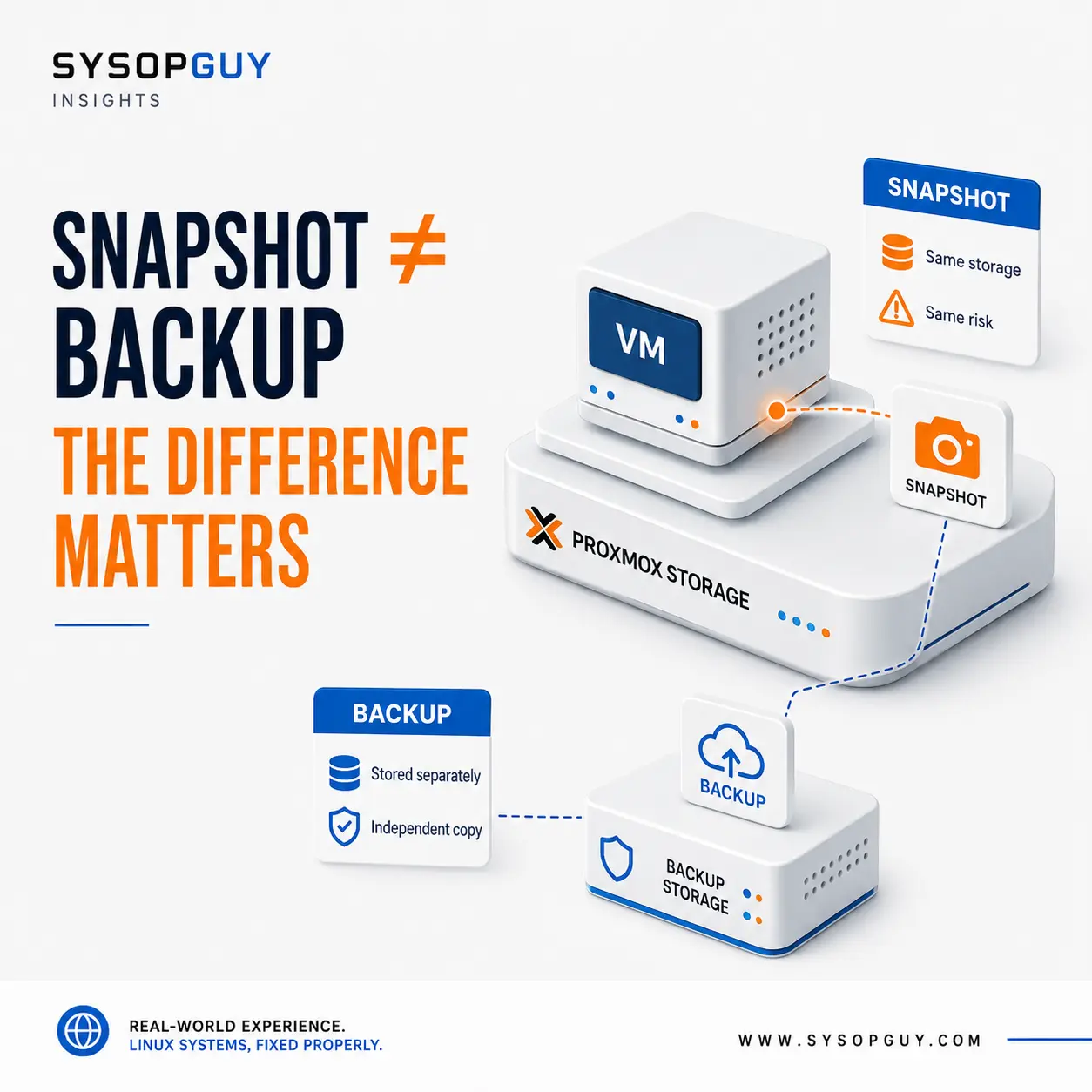
A snapshot still belongs to the original VM
A Proxmox snapshot records a point in the VM’s history.
Depending on the configuration and storage backend, it can preserve virtual disks, VM settings and sometimes the running memory state.
Rolling back returns the VM to that earlier point. That is why snapshots work well before an application upgrade, configuration change or short test.
However, the snapshot still depends on the original virtual disks and the storage holding them.
It is not an independent copy stored somewhere safe. It is another state of the same VM on the same infrastructure.
That distinction becomes very real when the storage itself fails.
One storage failure can destroy both
Imagine a Proxmox node with one NVMe drive containing a VM and several snapshots.
If an application update causes trouble, a recent snapshot may provide a quick rollback. The storage is still healthy, so the earlier state remains available.
If the NVMe drive fails, the situation is completely different.
The active VM disks and their snapshots were stored on the same device. Losing that storage means losing the entire chain, including every snapshot that looked reassuring in the interface.
The same applies when a storage pool becomes corrupted, virtual disks are deleted or the node and its local storage are lost together.
A real backup creates a restorable copy of the VM data and configuration that can live on separate storage.
The snapshot cannot protect against the loss of the place where it exists.
Snapshots are excellent before controlled changes
None of this makes snapshots useless.
Before upgrading an application, changing an important setting or testing a new package, a snapshot creates a convenient rollback point.
Suppose a new release starts successfully but breaks a dependency. The VM and its storage are healthy; only the recent change caused the problem.
That is exactly where a snapshot can save time.
It remains close to the original VM, is quickly available and is designed to restore an earlier state. Restoring a complete backup would normally take longer.
The snapshot solves a short-term operational problem.
It does not provide disaster recovery.
A snapshot may not capture a clean application state
A VM can be writing to databases, files and queues while the snapshot is created.
Capturing the virtual disk at that moment does not automatically mean every application completed its work cleanly.
After rollback, the guest may behave like a machine recovering from an unexpected interruption.
A database may replay transactions. An application may find temporary data in an incomplete state. A queued job may appear again because the VM returned to an earlier point in time.
This does not mean the snapshot is defective.
It means that preserving storage state and creating an application-consistent recovery point are not always the same thing.
For a quiet test VM, this may not matter much. For a busy database, mail server or transactional application, it matters considerably more.
Old snapshots can become a storage problem
A snapshot created for a ten-minute maintenance window often remains there for months.
As the VM continues changing, the storage must preserve the data needed to reconstruct the older state. Deleted or replaced blocks may therefore remain referenced instead of becoming immediately reclaimable.
The exact behaviour depends on the storage backend, but long-lived snapshots can consume growing amounts of space and make storage operations more complicated.
They also lose practical value over time.
A rollback after several months would discard every legitimate change made since the snapshot. At that point, the snapshot may be too old to use safely while still consuming storage.
A snapshot should have a clear purpose and a limited lifetime.
It should not become a permanent decoration in the Proxmox interface.
A backup creates another recovery path
The value of a backup becomes clear when the original VM cannot be trusted or no longer exists.
A backup can be restored to a new VM, replacement storage or another Proxmox node. It provides a recovery path that does not depend on the original virtual disk remaining intact.
That separation is the important part.
If the host suffers a serious storage failure, snapshots stored there may disappear with it. A backup stored on separate infrastructure can still be available.
If the VM configuration is deleted or damaged, the backup can provide what is needed to recreate the guest.
A snapshot assumes that the original environment still exists.
A backup prepares for the possibility that it does not.
Completed backups are not enough
Seeing successful backup jobs is reassuring, but it does not prove that recovery will work months later.
Backup storage can develop errors. Retention settings may remove more data than expected. Synchronisation to another location may stop without anyone noticing.
Verification helps detect damaged backup data, but even verification is not the final test.
The strongest proof is restoring a backup and confirming that the recovered VM boots and provides the expected service.
A backup that has never been restored is still an assumption.
Testing it before an emergency is far cheaper than discovering a problem when the original VM is already gone.
Snapshots and backups solve different problems
There is no reason to choose only one.
A sensible maintenance plan can create a snapshot immediately before a controlled change, keep it long enough to confirm that the VM works correctly, and remove it when the rollback window has passed.
The backup schedule continues independently.
If the update fails, the snapshot provides a fast return to the previous state.
If the host storage fails later, the separate backup provides the actual recovery path.
That is the distinction that matters:
A snapshot protects you from a recent change. A backup protects you from losing the VM.
Confusing the two often works until the failure affects more than the guest operating system.
Need help reviewing your Proxmox backup strategy?
Snapshots, local backups and off-server copies protect against different types of failure.
I can review how your Proxmox VMs are protected, identify where snapshots are being mistaken for backups and verify that a real recovery path exists before the original storage becomes unavailable.