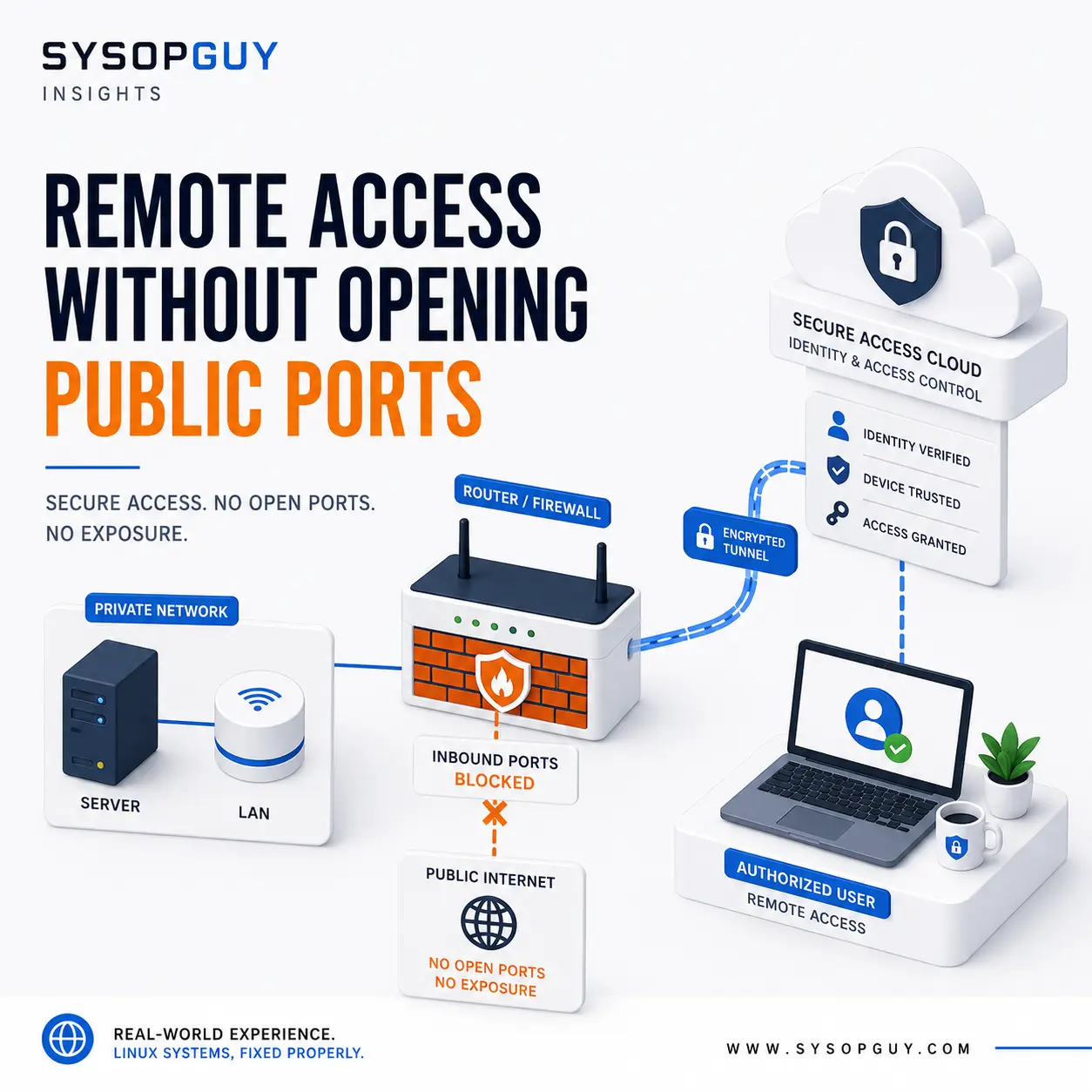
For years, remote access usually meant opening a port on the router and forwarding it directly to a server.
That approach still has a place. Public websites, mail servers, APIs, game servers, and VPN endpoints may need to accept inbound connections.
The mistake is treating every internal dashboard, SSH service, NAS, hypervisor, or self-hosted application in the same way.
Today, tunnels and private overlay networks provide another option.
Instead of waiting for unsolicited traffic from the Internet, a device inside the private network creates an outbound connection. Authorised users then reach the service through that controlled path.
This can reduce direct exposure, simplify access behind CGNAT, and provide better control over who can connect.
It does not eliminate security risks. It changes how access reaches the service and where the administrator enforces it.
An open port creates a public service
Opening a firewall port is not automatically unsafe.
A correctly configured and maintained public service can legitimately accept traffic from the Internet.
However, private management interfaces rarely need that level of exposure.
Examples include:
- Proxmox and hypervisor interfaces
- NAS administration panels
- router dashboards
- internal monitoring tools
- development environments
- private self-hosted applications
Changing the default port does not make a service private. It may reduce automated noise in the logs, but scanners can still discover it.
IP allowlists can help when users connect from predictable addresses. They become less practical when access comes from mobile networks, hotels, offices, or changing residential connections.
In those cases, an outbound tunnel or private network may be a better fit.
Cloudflare Tunnel for private web applications
Cloudflare Tunnel uses an outbound-only connection.
The cloudflared connector runs inside the private network and establishes a connection to Cloudflare. The origin does not need a public IP address or an inbound firewall rule for the application itself.
A hostname can then route traffic through the tunnel to a local web service.
This works well for browser-based applications such as:
- internal dashboards
- monitoring interfaces
- private documentation
- administration panels
- web applications used by selected people
The tunnel alone does not make the application private.
Without an access policy, the hostname may still be reachable by anyone who knows or discovers it.
Cloudflare Access adds an identity layer in front of the service. It can evaluate users, groups, authentication methods, devices, and other conditions before allowing the request to reach the origin.
The result is a different access model:
- the user opens the HTTPS hostname;
- Cloudflare checks the configured identity policy;
- only an authorised request reaches the internal application.
The origin remains behind an outbound connection instead of listening directly on a forwarded public port.
Official documentation:
https://developers.cloudflare.com/cloudflare-one/networks/connectors/cloudflare-tunnel/
https://developers.cloudflare.com/cloudflare-one/access-controls/applications/http-apps/
Private overlay networks solve a different problem
Not every service runs in a browser.
SSH, file shares, remote desktop, database connections, printers, and access to an entire subnet need a network-level solution rather than a web proxy.
Tailscale creates a private network between authorised devices. It attempts direct peer-to-peer connections where possible and can use encrypted relays when NAT or firewall conditions prevent a direct path.
In normal use, you do not need to configure a separate port-forwarding rule for every device or service.
You can run the client directly on the server that needs remote access. Alternatively, a subnet router can provide access to systems that cannot run the client themselves.
That makes it possible to reach parts of a home network or homelab without exposing every internal service independently.
Access policies still matter.
Connecting devices to the same private network should not automatically give every user access to every port. A sensible policy should define which users and devices can reach each resource.
Official documentation:
https://tailscale.com/docs/reference/faq/firewall-ports
https://tailscale.com/docs/features/subnet-routers
https://tailscale.com/docs/features/access-control/grants
Headscale offers more control, with more responsibility
Headscale provides an open-source implementation of the Tailscale control server.
It is mainly aimed at self-hosters, laboratories, personal environments, and small organisations that want to operate the coordination component themselves.
That can reduce dependence on a managed control service, but it also adds another system to maintain.
You become responsible for:
- updates
- availability
- backups
- configuration
- identity integration
- recovery if the control server fails
Self-hosting a component gives you more control. It does not remove operational work.
Official documentation:
WireGuard remains useful
WireGuard is an efficient VPN protocol, not a complete identity platform or managed access service.
A traditional WireGuard setup normally includes at least one reachable peer listening on a UDP endpoint. Other peers connect using public keys and exchange encrypted IP traffic.
This still exposes a VPN port, but it avoids exposing every internal administration service separately.
That distinction matters.
Publishing one carefully configured VPN endpoint can be safer and easier to manage than forwarding individual ports for:
- SSH
- Proxmox
- NAS administration
- monitoring
- databases
- internal applications
WireGuard gives the administrator direct control over the VPN infrastructure.
In exchange, the administrator must manage routing, peer configuration, keys, firewall rules, and recovery.
Official documentation:
These tools are not interchangeable
Cloudflare Tunnel, Tailscale, Headscale, and WireGuard solve related problems, but they do not provide exactly the same service.
Cloudflare Tunnel and Access work particularly well for private web applications reached through a browser.
Tailscale provides private network connectivity between devices and can extend access to entire subnets.
Headscale offers a self-hosted control server for compatible clients.
WireGuard provides a direct VPN foundation without adding a complete identity or policy platform.
The best choice depends on what needs to be reached, who needs access, and how much infrastructure the administrator wants to manage.
A single environment may use more than one of them.
Removing public ports does not remove risk
A tunnel can reduce direct exposure, but it cannot make an insecure application safe.
The internal service still needs:
- security updates
- strong authentication
- appropriate permissions
- secure configuration
- monitoring
- a recovery plan
The connector or VPN client also becomes part of the trusted path.
If an attacker steals its credentials, compromises the account, or changes the access policy, they may gain entry without touching the old public port.
Account security therefore matters as much as network design.
Use multi-factor authentication where available, restrict administrative accounts, review policies, and protect recovery methods.
Availability also changes.
A service that depends on an external tunnel or coordination platform may become unreachable if the provider, connector, account, or DNS configuration fails.
This is not automatically worse than relying on a public IP, router, and local firewall. It is simply a different dependency that needs to be understood.
A tunnel is not automatically Zero Trust
Zero Trust does not mean placing a login page in front of an application and considering the job complete.
NIST describes Zero Trust as removing implicit trust based only on network location and making access decisions around users, devices, and resources.
A tunnel can support that approach, but the overall design still needs:
- identity verification
- least-privilege access
- device and account controls
- clear policies
- monitoring and review
The tunnel is only one part of the access model.
Official reference:
https://csrc.nist.gov/pubs/sp/800/207/final
Keep public services public and private services private
The goal is not to eliminate every open port.
It is to stop publishing services that have no reason to be reachable by everyone.
A sensible environment may use:
- a standard reverse proxy for public websites;
- direct inbound delivery for a properly configured mail server;
- Cloudflare Tunnel and Access for selected private web applications;
- Tailscale or another overlay network for SSH and internal services;
- WireGuard when direct control over the VPN infrastructure matters.
Each service should receive only the exposure it actually needs.
A safer default for remote administration
Port forwarding should be a deliberate choice, not the first step copied from an old tutorial.
For many private servers, homelabs, and small environments, outbound tunnels and private overlay networks provide a cleaner way to reach internal systems.
They can reduce the number of publicly reachable services, work around CGNAT, and apply access rules to users and devices rather than relying only on source IP addresses.
Public applications will still need public entry points.
Administration interfaces usually do not.
Need help securing remote access?
I can review an existing homelab or Linux server, identify services that do not need direct public exposure, and configure a suitable tunnel, private network, or VPN while keeping internal management interfaces private.