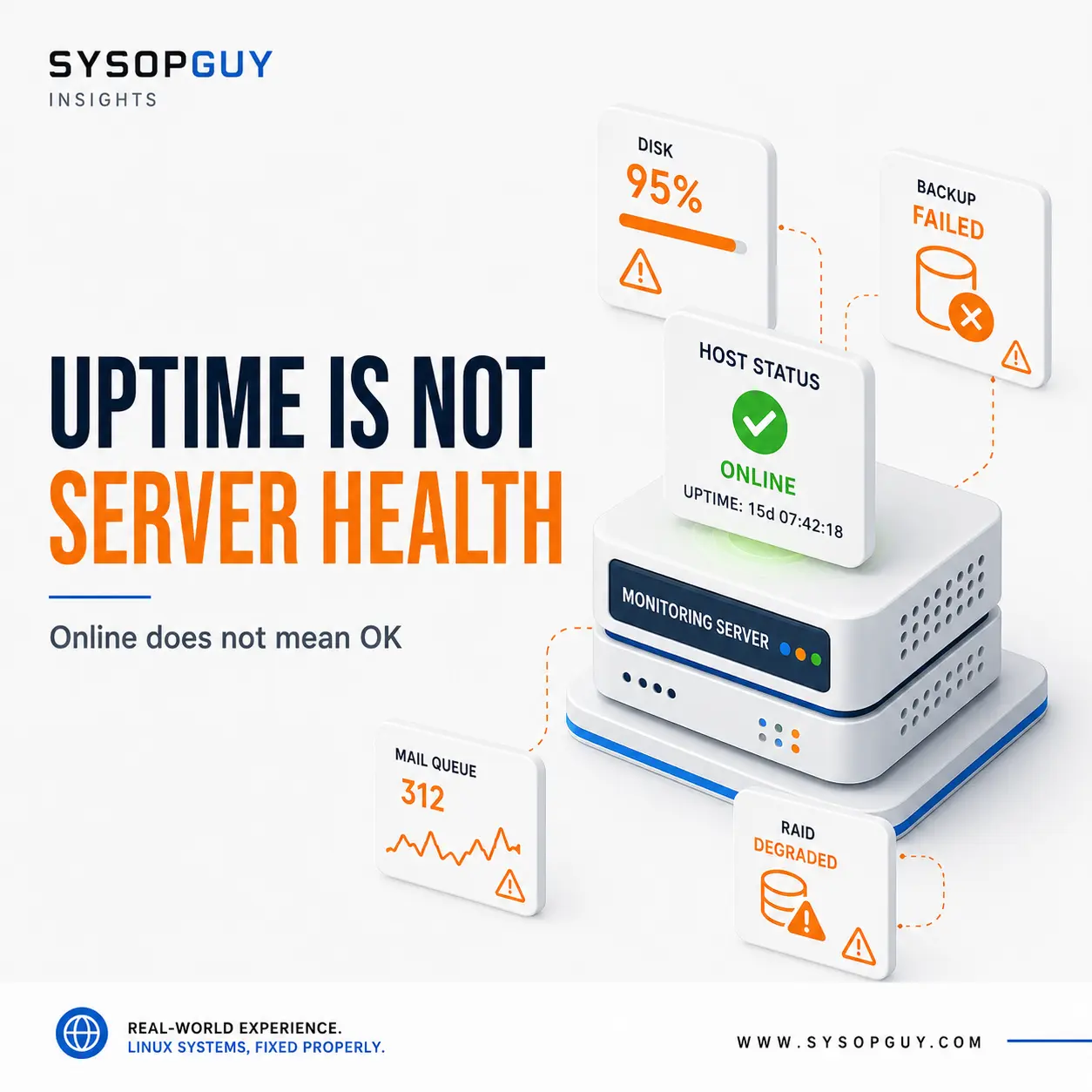
A monitoring service checks a website every few minutes and reports 99.99% uptime.
The dashboard is green. The server answers pings. The home page returns HTTP 200.
Meanwhile, the disk is almost full, backups have failed for two weeks and the mail queue contains thousands of undelivered messages.
The server is online, but it is not healthy.
Uptime monitoring is useful. It tells you whether a service can be reached from outside. The mistake is treating that result as proof that the whole system works correctly.
A successful request proves only that something answered
Most uptime checks ask a very simple question: did the server respond?
For a website, that often means opening one URL and accepting an HTTP response. For a host, it may mean receiving a ping reply or connecting to a specific port.
That confirms availability at one particular moment.
It does not prove that the database is working, users can log in, scheduled jobs are running or the application can complete a real request.
A reverse proxy may return a static maintenance page with HTTP 200 while the application behind it is completely unavailable. The monitor sees a valid response. The visitor sees a broken service.
HTTP 200 does not mean the application is healthy
Web applications can fail while still returning successful status codes.
A page may contain a database error inside valid HTML. A login form may load normally but reject every account. An API may answer while returning stale or incomplete data.
Caching makes this even more deceptive.
A heavily cached website can continue serving public pages after the database or application backend has stopped responding. Basic uptime monitoring stays green until someone tries to log in, submit a form or open an uncached page.
Checking only the front page confirms that the front page loaded. Nothing more.
Storage can be close to failure without causing downtime
A VPS may continue serving traffic with its disk at 90% or 95%.
Nothing immediately goes offline, so an external monitor reports no problem. Then a database needs temporary space, a package update writes new files or a log grows faster than expected.
Several services can fail almost at once.
Databases refuse writes. Applications cannot create sessions. Mail stops entering the queue. Updates fail halfway through.
The server may still respond to ping throughout the incident.
Inode exhaustion creates a similar situation. The filesystem may show available capacity but can no longer create new files. From outside, the machine looks alive. Inside, unrelated applications begin failing for the same underlying reason.
Backups can fail without affecting users
A failed backup rarely causes immediate downtime.
The website remains online. Users keep working. The monitoring dashboard stays green.
The problem appears only when someone needs to restore data.
Credentials may have changed. Remote storage may be full or unreachable. A scheduled task may still run while producing incomplete archives. Retention may continue deleting old backups even though no valid new copy replaces them.
A server that has stayed online for six months but has no usable backup is not healthy.
Backup monitoring needs to confirm the result, not merely that a scheduled job exists.
Mail can be online while delivery is broken
A mail server can accept connections even when messages are going nowhere.
SMTP listens on the expected port, so the uptime check succeeds. The queue, however, may continue growing because remote providers reject the messages, DNS resolution has failed or a relay is unavailable.
Incoming mail can fail in another way. The server accepts the connection but cannot save the message because storage is full or mailbox permissions are wrong.
Technically, the service is reachable.
Operationally, email is broken.
Monitoring the port misses the important part: whether messages actually move through the system.
Redundancy can disappear silently
A degraded RAID array is designed to keep working after a disk failure.
That is useful, but it can also hide the problem.
The server continues running, so nobody notices that redundancy has been lost. If another disk fails before the first one is replaced, the situation changes from degraded storage to possible data loss.
The same applies to ZFS pool degradation, SMART warnings and storage controllers reporting media errors.
Uptime may remain perfect while the system’s safety margin disappears.
A service can be active without doing useful work
Linux may report a process as active even when it no longer performs its real function.
A worker can be stuck. A scheduler can launch jobs that fail immediately. A DNS resolver can listen locally while upstream resolution no longer works.
The process exists, so the service manager considers it running.
That status is useful, but it is only one layer.
A database should accept a real query. A mail server should process mail. A backup service should produce a valid backup. An application should complete the operation users depend on.
Checking that the process exists does not confirm any of those things.
Performance can fail before availability does
A server does not need to go offline to become unusable.
Heavy swap activity can make every request painfully slow. Storage latency can delay pages for thirty seconds. A database connection pool can become exhausted while the operating system remains responsive.
The uptime monitor eventually receives a response and records success.
The user experiences a service that barely works.
Response time and application behaviour therefore matter alongside simple availability. A system that answers but consistently misses acceptable response times is already showing a problem.
Useful monitoring follows the actual service
I would not replace uptime monitoring. I would place it inside a wider view of the server.
External checks confirm that the service is reachable from the internet. Internal checks watch storage, memory, load, queues, backups and filesystem health. Application checks verify that users can perform the functions they actually need.
Each layer answers a different question:
- Is the server reachable?
- Are its resources healthy?
- Are the required services running?
- Are those services completing useful work?
A green answer to the first question does not answer the other three.
Alerts should arrive before the outage
More checks do not automatically produce better monitoring.
If every small variation sends an alert, people eventually ignore them. If thresholds are too generous, the warning arrives only after the service has failed.
The useful alerts are the ones that allow action before users notice anything.
Disk space dropping steadily, a missing backup, a growing mail queue or a degraded storage pool all provide time to investigate.
A ping failure usually tells you that the incident has already happened.
Online does not mean healthy
Uptime is an important metric, but it measures only one part of the system.
A server can remain online while storage fills up, backups stop, redundancy disappears and applications fail to perform their real work.
Good monitoring should reveal those conditions early enough to fix them without an emergency.
The goal is not merely to prove that the machine still answers.
It is to know whether the service remains reliable.
Need help reviewing your server monitoring?
A green uptime dashboard can hide resource problems, failed backups and services that no longer perform their real work.
I can review what is currently monitored, identify the important blind spots and help define checks that reflect the actual health of the server rather than its ability to answer a ping.