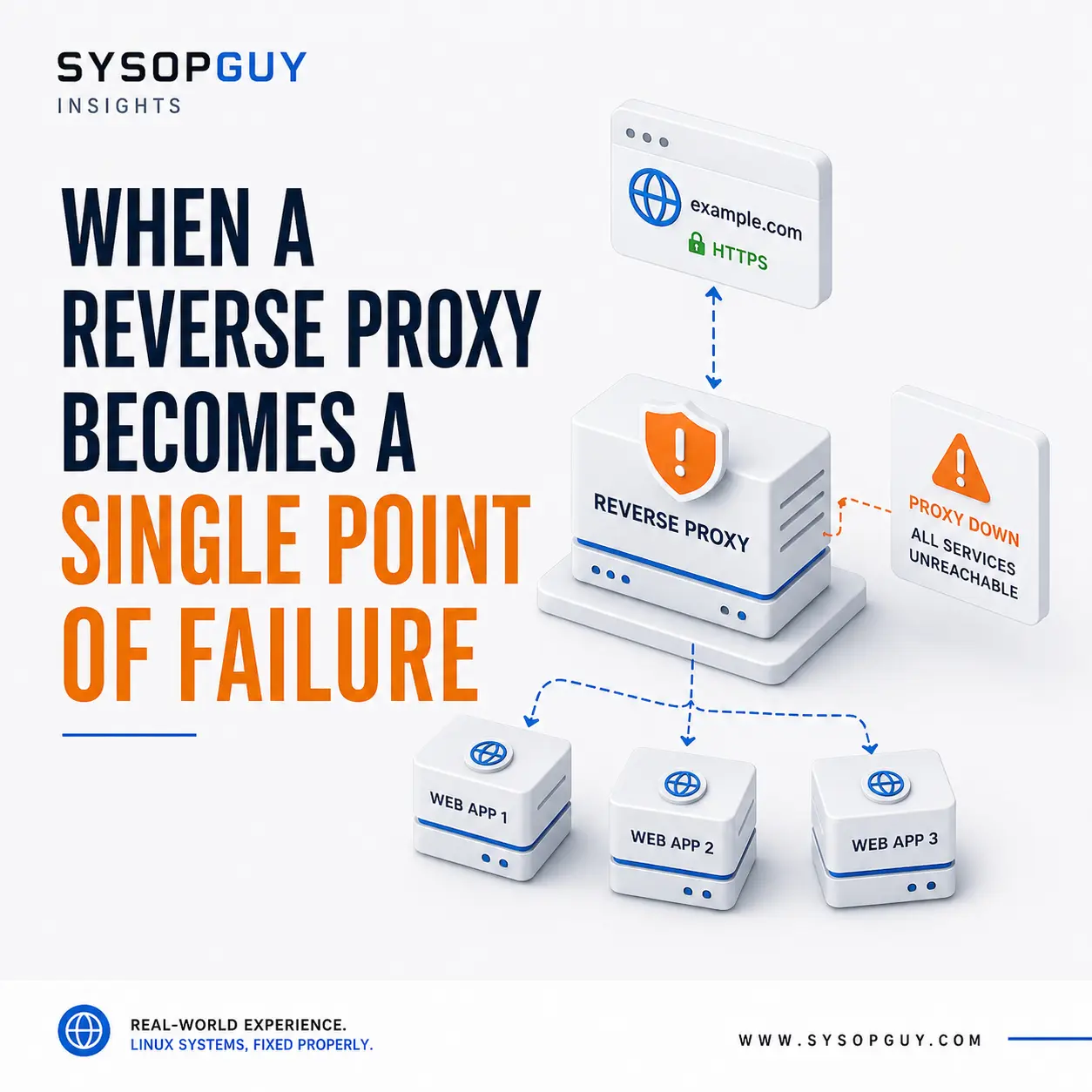
A reverse proxy often becomes the front door to an entire self-hosted environment.
Nginx, Caddy, or Traefik may handle HTTPS, route each domain to the correct application, and keep internal ports away from direct public access.
This is practical. Several websites, dashboards, APIs, and containers can share the same public IP address.
It also creates a dependency that is easy to overlook.
When every public request passes through one reverse proxy, a failure at that layer can make the whole environment appear offline—even while the applications, databases, and containers behind it continue running normally.
The proxy can fail while the applications remain healthy
Imagine a server hosting several applications.
Each one responds correctly on its internal address. Containers remain active, databases accept connections, and the host has enough CPU, memory, and disk space.
From the Internet, however, every domain returns an error or stops responding.
The reverse proxy is the common point.
It accepts the public request, handles HTTPS, selects the correct virtual host, and forwards traffic to the appropriate upstream service. If that path breaks, users cannot reach anything behind it.
Checking an application only from inside the server can therefore give a misleading result.
Internal access proves that the backend works. It does not prove that the complete public path works.
One change can affect every domain
Reverse proxy configurations tend to grow gradually.
A new domain is added. An upstream port changes. A container receives a new name. A certificate path moves. A global option is modified to solve one specific issue.
A mistake in shared configuration can affect much more than the service being changed.
Nginx can test its configuration before a reload and replace workers gracefully when the new configuration is valid. The official Nginx documentation explains how the reload process works.
That protection still depends on the administrator testing the configuration and checking whether the reload succeeded.
A valid syntax does not guarantee a correct result.
The proxy may still point to:
- the wrong hostname or port;
- an old container name;
- an unreachable Docker network;
- an upstream using the wrong protocol;
- certificate files with incorrect paths or permissions.
The proxy process may remain active while one application fails. A mistake in a shared block can affect every virtual host at once.
HTTPS may fail before the application does
The reverse proxy often manages TLS certificates for all public services.
If certificate issuance or renewal fails, the applications may remain healthy while browsers begin showing warnings or refusing the connection.
Common causes include:
- incorrect DNS records;
- blocked validation requests;
- certificate authority rate limits;
- permission problems;
- expired account credentials;
- a failed proxy reload after renewal.
Automatic certificate management removes much of the routine work, but it does not remove the need to monitor expiry dates and renewal errors.
A working backend is irrelevant when users cannot establish a trusted HTTPS connection.
The upstream may be running but unreachable
The proxy still needs a working path to every backend.
That path may cross Docker networks, local sockets, virtual-machine bridges, firewall rules, or another physical host.
An application can remain online while the reverse proxy loses access to it.
Recreating a container may leave it outside the expected network. A firewall change may block traffic to an upstream VM. A service may start listening only on localhost while the proxy connects through another interface.
The public symptom often looks like an application failure.
Restarting the application repeatedly will not repair a broken route between the proxy and the backend.
Some reverse proxies support multiple upstreams and health checks. The Caddy reverse proxy documentation describes several options for health checks, retries, and load balancing.
These features can improve application resilience, but they do not protect against failure of the reverse proxy itself.
Consolidation increases the impact
Running several services behind one reverse proxy is not automatically a bad design.
For a private server or small VPS, adding another proxy node may create more complexity than it solves.
The real problem is forgetting how much depends on one component, especially when too many services share the same VPS.
If the same machine hosts the proxy, applications, databases, monitoring, and backups, a storage or operating-system problem can affect the entire environment.
The reverse proxy deserves particular attention because its failure can make every service appear unavailable, even while the applications behind it continue running.
Monitor both sides of the proxy
External monitoring should follow the same route as a real user:
DNS → public IP → firewall → reverse proxy → application
That confirms whether the complete service is reachable.
Internal monitoring answers different questions:
- Is the reverse proxy process running?
- Did the latest configuration reload succeed?
- Can the proxy reach each upstream?
- Are certificates valid and renewing correctly?
- Are logs showing repeated timeouts or connection errors?
- Is the host running out of memory or disk space?
Both views are necessary.
An external check may report that every domain is down, while internal monitoring reveals that the applications remain healthy and the fault sits entirely at the proxy layer.
This is why monitoring uptime alone does not provide a complete picture of server health.
Back up more than the configuration files
Reverse proxy configuration is usually small, but rebuilding it from memory can still take time.
A useful backup should include:
- virtual host definitions;
- global settings;
- TLS and certificate configuration;
- access-control rules;
- custom headers and redirects;
- upstream addresses and network assumptions;
- required environment files or protected secrets.
Secrets need appropriate protection and should never be placed in a public repository.
Context matters as much as the files themselves.
A restored configuration that references missing Docker networks, obsolete container names, or old certificate paths will not restore access.
The objective is to preserve enough information to rebuild the working entry point quickly.
High availability is not always the answer
Removing the single point of failure requires more than installing a second reverse proxy.
Both nodes need consistent configuration, valid certificates, access to the same backends, and a mechanism that directs traffic away from a failed instance.
That may involve a load balancer, floating IP address, provider failover system, or another external entry layer.
Important production environments may justify that complexity.
For a private server or small homelab, a tested recovery plan may be more sensible:
- validate every configuration change;
- keep a current backup;
- monitor both the public and internal paths;
- document the upstream layout;
- know how to rebuild the proxy quickly.
High availability should meet a real requirement, not exist only to make the architecture look more advanced.
Treat the reverse proxy as core infrastructure
A reverse proxy may look like a small service that simply forwards web traffic.
In practice, it often controls access to everything behind it.
Its configuration, certificates, logs, backups, and monitoring therefore deserve the same care as DNS, firewall rules, and production networking.
The applications may continue running without it.
Your users still will not be able to reach them.
Need help with a reverse proxy?
I can review an existing Nginx, Caddy, or Traefik setup, identify routing and upstream problems, and help restore access when the applications are running but the public entry point is not.