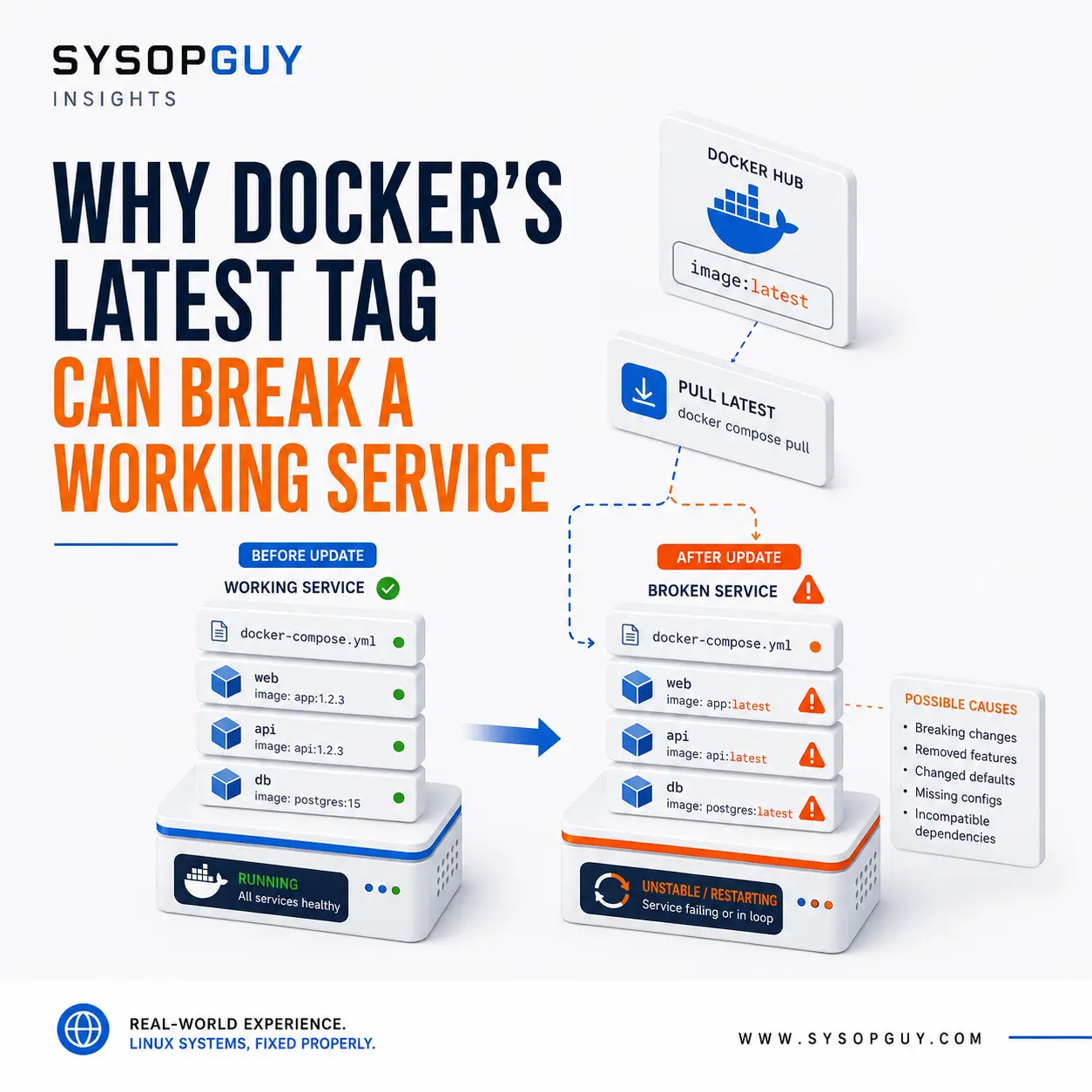
A Docker service can run perfectly for months and then fail immediately after what looks like a routine update.
The Compose file has not changed. Ports, volumes, and environment variables still look correct.
The image changed.
When a service uses image:latest, that tag may point to different image content the next time Docker pulls it. Recreating the container can therefore deploy a newer application release even though the configuration appears identical.
The latest tag is convenient, but it does not guarantee stability, compatibility, or a safe upgrade path.
Latest is a label, not a version
Docker uses latest when an image reference does not specify another tag.
For example:
image: example/application
This normally resolves to:
image: example/application:latest
The image publisher decides what latest represents. It may point to the newest stable release, a major upgrade, or simply the most recent build produced by the project.
Docker tags are usually mutable. The same tag can later point to different image content unless the repository enforces immutable tags, as explained in the official Docker documentation on immutable tags.
This means that application:latest today may not be the same image you deployed three months ago.
The running container does not change when the remote tag moves. The difference appears when someone pulls the image and recreates the service.
The Compose file may remain unchanged
This is what makes the problem confusing.
The same Compose configuration can produce different results at different times:
services:
app:
image: example/application:latest
Yesterday, that reference may have installed one application release. Today, it may resolve to a newer image with different requirements or behaviour.
A normal image pull followed by a container recreation can introduce:
- a new major application version;
- changed or removed environment variables;
- database schema migrations;
- different file permissions;
- new dependency requirements;
- changes to networking or security defaults.
The Compose file still looks familiar, but the software running inside the container may be different.
An explicit version is usually safer
Replacing latest with a specific version makes the deployment easier to understand.
For example:
image: example/application:4.2.1
This clearly states which release the service expects. It also prevents an automatic jump to version 5 simply because the publisher changes the latest tag.
A broader tag provides less certainty:
image: example/application:4
The publisher may update that tag whenever a new release appears within the same major version.
Even a detailed version tag can technically change unless the registry enforces immutability. However, using an explicit release still provides much more control than relying on latest.
For many private servers, this is a sensible balance. The goal is to make upgrades deliberate rather than allowing an undefined tag to choose the next release.
Digests identify exact image content
A Docker image digest identifies specific image content.
An image can be referenced like this:
image: example/application@sha256:...
Unlike a normal tag, the digest does not later move to a different image. Pulling by digest retrieves the same content each time.
Docker explains this behaviour in its documentation on image digests.
Digest pinning gives the strongest deployment consistency, but it creates another responsibility.
The service will not automatically receive bug fixes or security updates. Someone must review the newer image and deliberately replace the digest.
Exact pinning improves predictability. It should not become an excuse to stop updating the application.
Automatic updates increase the risk
Automatic container updates can be useful for low-risk or disposable services.
Combining them with mutable tags removes an important decision point.
The update system may:
- detect a new image;
- pull it automatically;
- stop the working container;
- recreate the service;
- discover only afterwards that the new release is incompatible.
Docker may consider the deployment successful even when the application fails to start, enters a restart loop, or becomes unusable after a database migration.
The symptoms may resemble those covered in Why a Docker Container Keeps Restarting, but the real trigger is the unexpected image change.
Automatic updates are not inherently wrong. They need an appropriate risk level, useful notifications, and a realistic recovery path.
Applications rarely run alone
A container image may depend on much more than Docker.
The application could require a specific PostgreSQL, MariaDB, Redis, or runtime version. It may also expect new environment variables, changed volume permissions, or a database migration that cannot easily be reversed.
Updating one container can therefore break compatibility with the rest of the stack.
Before changing an important image, review:
- release notes;
- supported upgrade paths;
- database requirements;
- configuration changes;
- deprecated options;
- known breaking changes.
A small-looking image update can still introduce a major application change when the tag does not clearly identify the release.
Back up the data, not only the Compose file
A saved Compose file helps recreate the container structure.
It does not protect the database, uploaded files, application state, secrets, or persistent volumes.
Before an important update, the recovery plan should include:
- a current backup of persistent data;
- a database backup in a suitable format;
- the previous image version or digest;
- the working Compose configuration;
- required environment and secret files;
- a tested restore procedure.
Rolling back the container image may not be enough after the new application changes the database schema.
This is why simply having backup files does not guarantee recovery. As explained in Your Backup Is Useless Until You Test a Restore, the restore process needs to work before a failed update makes it necessary.
A controlled update does not need to be complicated
A private Docker server does not always need a staging platform or a complete deployment pipeline.
A controlled update can still follow a simple process:
- identify the version currently running;
- read the release notes;
- check compatibility with the existing stack;
- back up persistent data;
- record the current image reference or digest;
- deploy the chosen version;
- check logs and application behaviour;
- verify external access;
- keep a realistic rollback option.
The objective is not to avoid updates.
It is to know what will change before replacing a working container.
Latest is convenient, not predictable
The latest tag can be useful for testing and disposable environments.
It becomes more questionable when a container stores important data, supports other users, or provides a service expected to remain available.
A good Compose configuration should make the intended application version reasonably clear.
Explicit tags, recorded digests, reviewed release notes, and tested backups make updates less surprising.
The real problem is not that a new image exists.
It is discovering that you deployed it only after the service stopped working.
Need help with a Docker update?
I can review an existing Docker or Compose deployment, identify the versions currently running, and help plan a controlled update without replacing a working service blindly.